Inventory Forecasting for Shopify Merchants: The Complete Beginner's Guide

Inventory Forecasting for Shopify Merchants: The Complete Beginner's Guide
Struggling with stockouts and overstock? Learn the essential inventory forecasting methods, formulas, and a step-by-step process to take control of your Shopify store's inventory — no spreadsheet wizardry required.

Getting inventory right is one of the hardest parts of running an ecommerce store. Order too much and your cash is locked in boxes sitting in a warehouse. Order too little and customers see "out of stock" — and head straight to a competitor.

The numbers tell the story: inventory distortion — the combined cost of stockouts and overstocking — costs retailers $1.9 trillion globally every year. Stockouts alone account for 40% of potential sales failures across the industry. For a small Shopify merchant, even a fraction of that impact can mean the difference between a profitable quarter and a cash flow crisis.

The good news? You don't need enterprise software or a supply chain degree to start forecasting demand more accurately. By the end of this guide, you'll understand the core concepts behind inventory forecasting, know the essential formulas, and have a repeatable process you can start using this week.

What Is Inventory Forecasting (and Why Should Shopify Merchants Care)?

Inventory forecasting is the practice of predicting how much stock you'll need and when you'll need it. That's it. No PhD required.

At its core, forecasting helps you fight two enemies that drain every Shopify store's bottom line:

Stockouts eat into your revenue in ways that go beyond the missed sale. A customer who finds your product out of stock is unlikely to wait around — they'll buy from someone else, and you may lose them for good. If you sell on marketplaces like Amazon, stockouts also tank your search rankings, compounding the damage over time.

Overstocking ties up the cash you need to invest in marketing, product development, or simply keeping the lights on. Storage costs increase 20-30% when you carry excess inventory, and products that sit too long become dead stock — merchandise you eventually have to discount heavily or write off entirely.

This matters more than ever for Shopify merchants right now. With Stocky sunsetting on August 31, 2026, and its forecasting features already removed, many merchants who relied on that tool are flying blind. Whether you're one of them or simply want to stop guessing, building a basic forecasting process is no longer optional — it's essential.
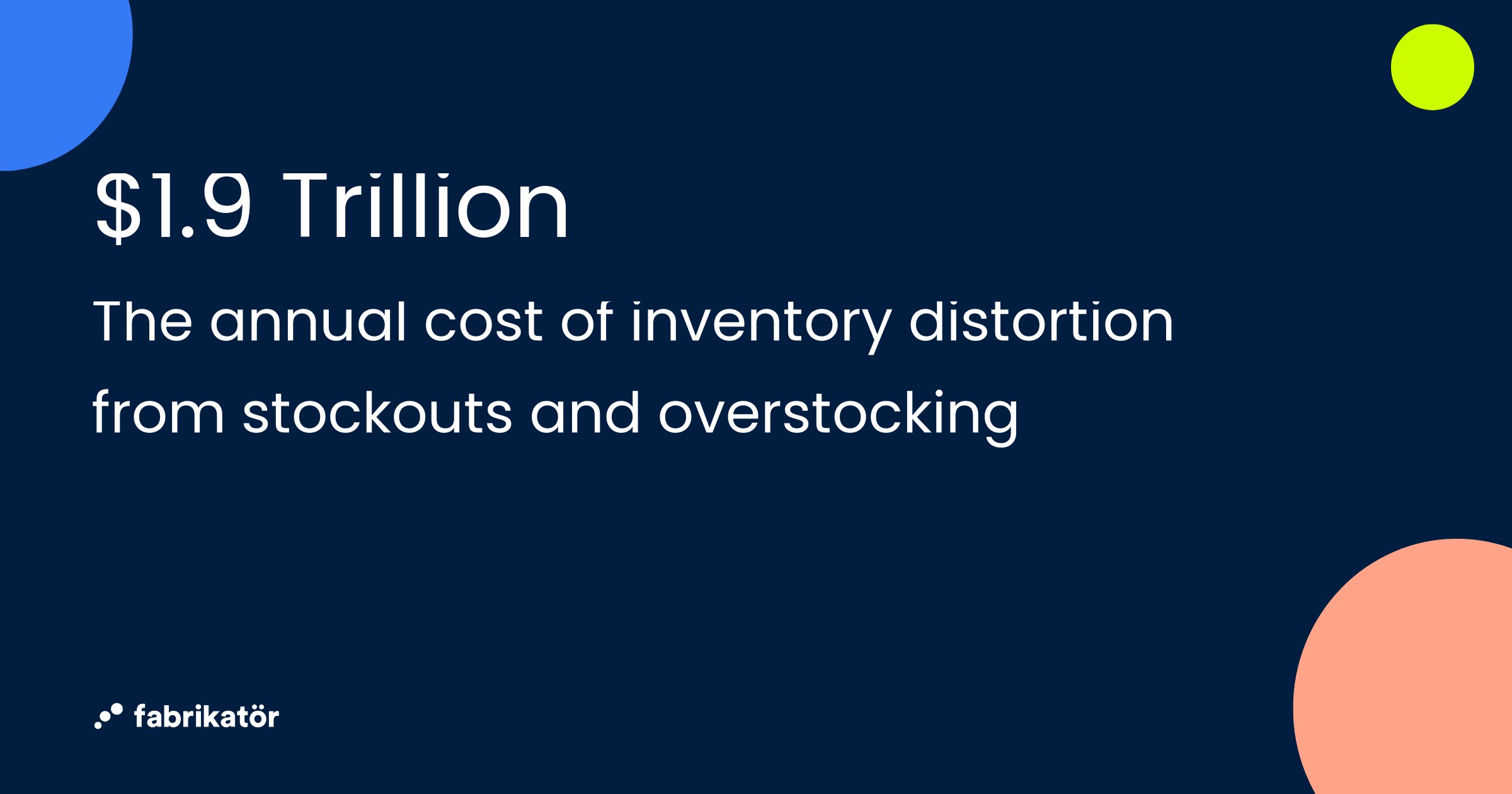
$1.9 Trillion — The annual cost of inventory distortion from stockouts and overstocking

The 4 Core Inventory Forecasting Methods (Explained Simply)

There's no single "right" way to forecast demand. Most successful merchants use a combination of methods depending on their products, seasonality, and how much data they have. Here are the four approaches worth understanding.

Trend-Based Forecasting

This is the simplest and most common method: look at your historical sales data and project it forward. If you sold 100 units of a product last month and sales have been growing 10% month-over-month, you'd forecast roughly 110 units for next month.

Trend-based forecasting works well for established products with consistent sales patterns. It's your starting point.

Seasonal Forecasting

Some products sell very differently depending on the time of year. A store selling outdoor furniture will see dramatically different demand in July versus January. Seasonal forecasting accounts for these predictable demand spikes — holidays, back-to-school, summer, Black Friday/Cyber Monday — by applying seasonal multipliers to your baseline forecast.

If your sunscreen sold 3x more in June than your annual monthly average last year, you'd build that multiplier into your forecast for this June.

Qualitative Forecasting

What about new products that have no sales history? This is where qualitative forecasting comes in. You use pre-orders, competitor analysis, market research, customer surveys, and informed judgment to estimate demand.

It's the least precise method, but it's necessary when you're launching something new. The key is to start conservative and plan for fast reorders if demand exceeds expectations.

Causal (Multi-Factor) Forecasting

This is the most sophisticated approach. Instead of just looking at past sales, causal forecasting incorporates external factors that drive demand: planned promotions, advertising spend, social media trends, even weather patterns.

If you're planning a 20%-off sale next month with an influencer campaign, your forecast shouldn't just use last month's baseline — it needs to account for the expected spike from those activities.

Where to start: Most Shopify merchants should begin with trend-based + seasonal forecasting. It covers 80% of what you need. As your business grows and your marketing gets more complex, layer in causal factors.

Essential Formulas Every Merchant Should Know

You don't need a spreadsheet full of complex models. Two formulas handle the majority of day-to-day inventory decisions: safety stock and reorder point.

Safety Stock Formula

Safety stock is your buffer — the extra inventory you hold to protect against unexpected demand spikes or supplier delays. Here's the formula:

Safety Stock = (Max Daily Sales x Max Lead Time) - (Avg Daily Sales x Avg Lead Time)
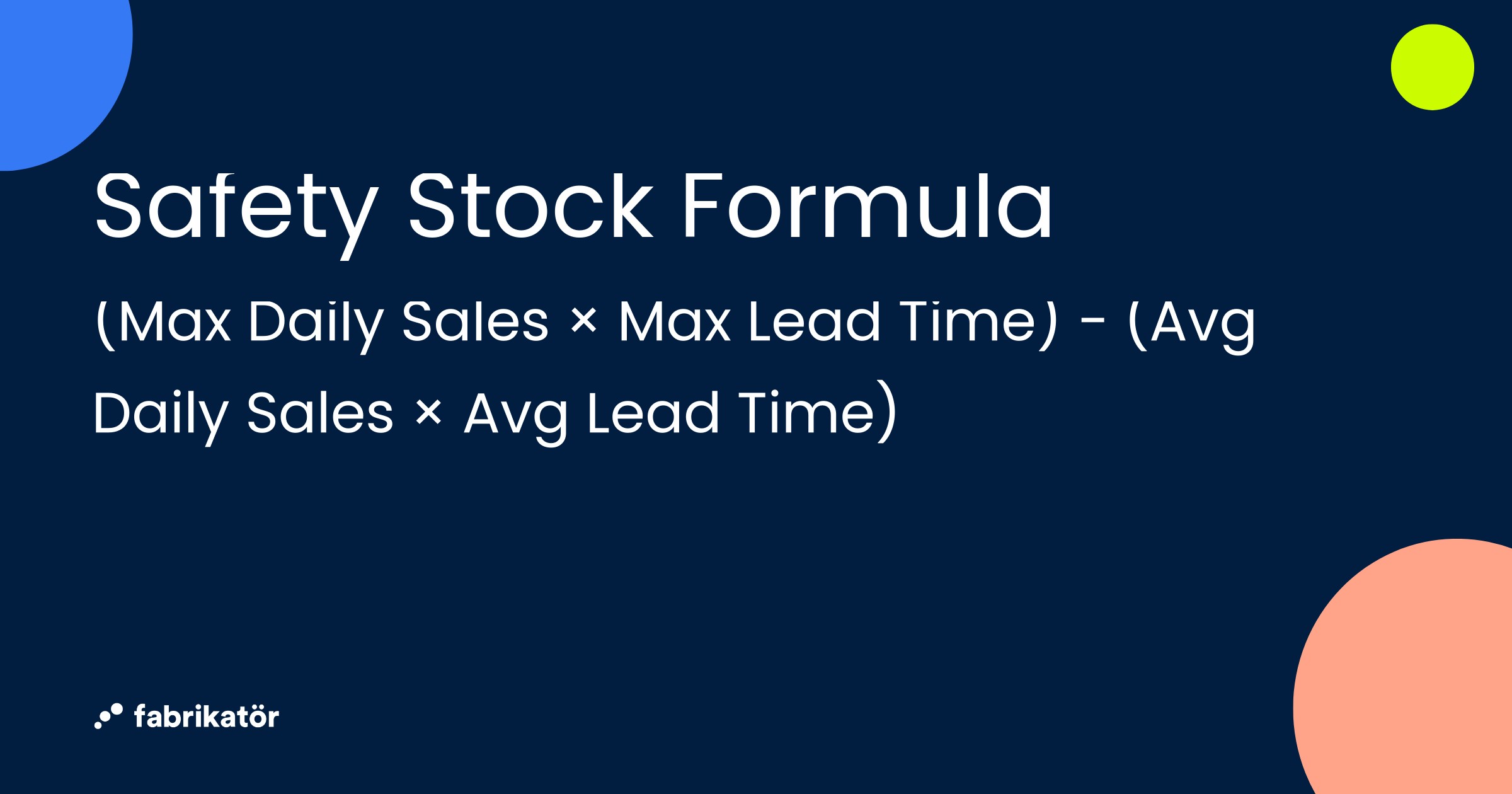
Safety Stock Formula: (Max Daily Sales × Max Lead Time) − (Avg Daily Sales × Avg Lead Time)

Worked example: Let's say you sell a popular candle on your Shopify store.

  • Max daily sales: 15 units (your busiest day)
  • Max lead time: 21 days (longest your supplier has taken)
  • Avg daily sales: 8 units
  • Avg lead time: 14 days

Safety Stock = (15 x 21) - (8 x 14) = 315 - 112 = 203 units

That means you should keep around 203 candles as a safety buffer to avoid stockouts during demand surges or supplier slowdowns.

Reorder Point Formula

The reorder point tells you exactly when to place your next order. When your inventory hits this number, it's time to reorder.

Reorder Point = (Avg Daily Sales x Lead Time) + Safety Stock

Continuing our candle example:

Reorder Point = (8 x 14) + 203 = 112 + 203 = 315 units

When your candle inventory drops to 315 units, place your next purchase order.

Putting It All Together: Safety Stock and Reorder Points by Product Type

Here's how these formulas look across different product types:

Fast-mover (candle)

  • Avg daily sales: 8 units | Avg lead time: 14 days
  • Max daily sales: 15 units | Max lead time: 21 days
  • Safety stock: 203 units | Reorder point: 315 units

Steady seller (mug)

  • Avg daily sales: 3 units | Avg lead time: 14 days
  • Max daily sales: 6 units | Max lead time: 18 days
  • Safety stock: 66 units | Reorder point: 108 units

Seasonal item (scarf)

  • Avg daily sales: 2 units | Avg lead time: 21 days
  • Max daily sales: 12 units | Max lead time: 28 days
  • Safety stock: 294 units | Reorder point: 336 units

Notice how the seasonal item has a disproportionately high safety stock relative to its average sales. That's because the gap between its average and peak demand is large — exactly the kind of product that catches merchants off guard.

The 5 Most Common Inventory Forecasting Mistakes Shopify Merchants Make

If you've ever been surprised by a stockout or stuck with a warehouse full of slow-moving products, chances are one of these mistakes is the culprit.

1. Relying solely on gut feeling instead of data. Your intuition about what will sell is valuable, but it shouldn't be your only input. Even basic sales data analysis beats pure guesswork. Pull your Shopify sales reports and let the numbers inform your decisions.

2. Ignoring seasonal patterns and repeating the same mistakes each year. If you ran out of your best-seller during last year's holiday rush, it'll probably happen again unless you adjust. Document what happened each season and feed those insights into next year's forecast.

3. Using category-level averages instead of SKU-level analysis. "Our candle category sells 500 units a month" isn't useful when one scent accounts for 300 of those units and another sells 5. Forecast at the individual product level, at least for your top performers.

4. Not accounting for supplier lead time variability. Your supplier says 14 days, but sometimes it's 21. If you're calculating reorder points based on the ideal lead time, you'll get caught short when delays happen. Use your maximum observed lead time in your safety stock calculations.

5. Setting and forgetting — treating forecasting as a one-time exercise. Demand shifts. Supply chains change. New products launch. Your forecast from three months ago is already outdated. Build in a monthly review cadence to keep your numbers current.

Getting Started: A Simple 5-Step Forecasting Process

You don't need to forecast every SKU in your store on day one. Here's a practical process you can start this week.

Step 1: Export and organize your Shopify sales data. Pull at least 12 months of sales history from your Shopify admin. If you have more, even better — two years of data lets you see seasonal patterns more clearly. Export it by product/variant and organize by month.

Step 2: Identify your top products by revenue and velocity. Apply the 80/20 rule: roughly 20% of your products likely drive 80% of your revenue. These are the SKUs that deserve your forecasting attention first. Sort your export by total units sold and total revenue — your "must-not-stock-out" products will be obvious.
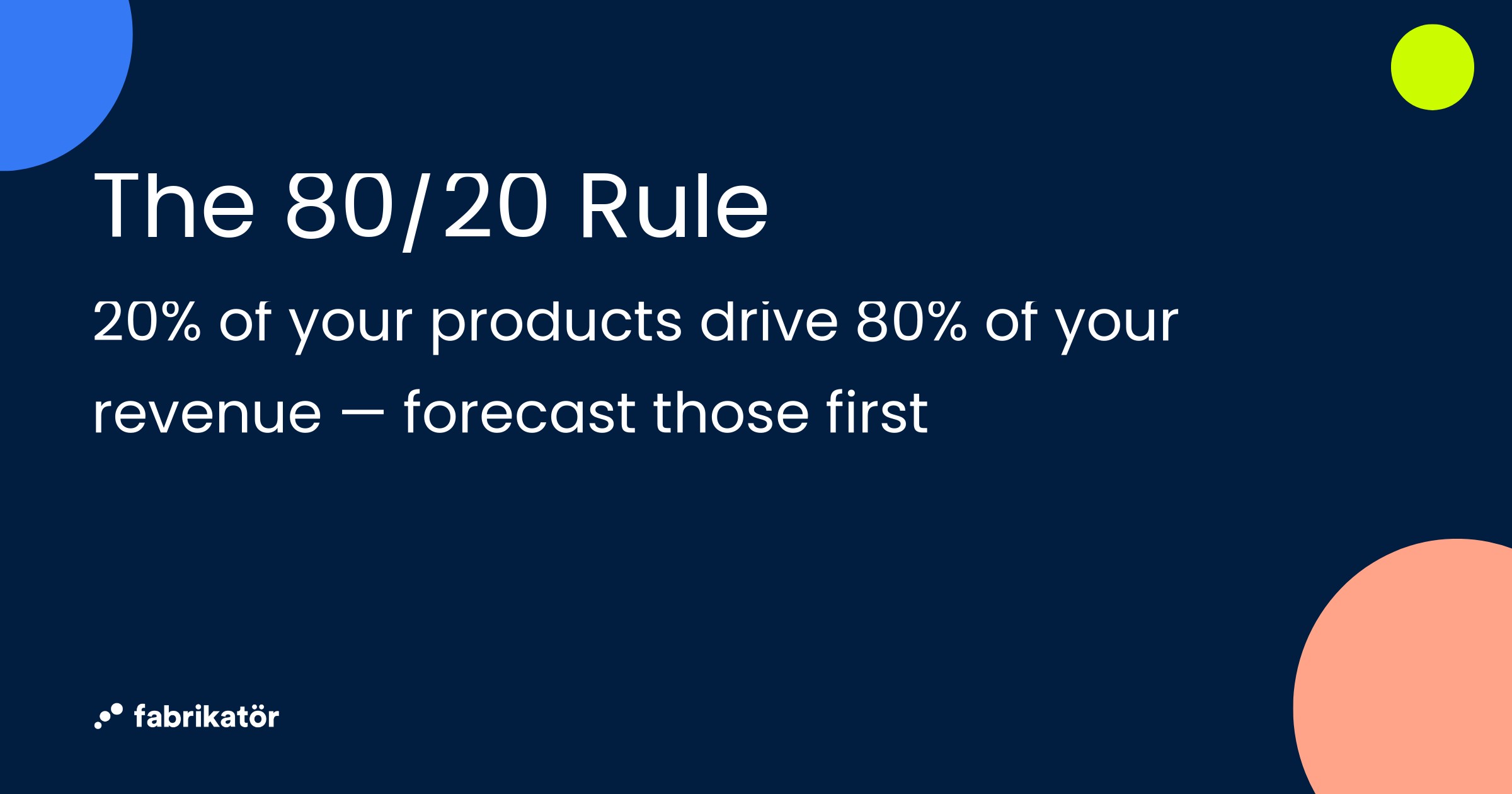
The 80/20 Rule — 20% of your products drive 80% of your revenue, forecast those first

Step 3: Calculate safety stock and reorder points for your top 20 SKUs. Using the formulas above, calculate the safety stock and reorder point for each of your top products. Plug in your actual sales data and real supplier lead times, not idealized numbers.

Step 4: Set up a reorder calendar or alerts. Create a simple tracking system — even a spreadsheet with current stock levels and reorder points works. Check it weekly. When a product's inventory crosses its reorder point, create a purchase order. If you use Shopify's inventory tracking, you can set low-stock alerts as a basic trigger.

Step 5: Review and adjust monthly. At the end of each month, compare what actually sold versus what you forecasted. Were you close? Way off? Identify why — a surprise promotion, a supply delay, a new competitor — and adjust your numbers. Forecasting is iterative. Every cycle makes you more accurate.

Your start-this-week checklist:

  • Export 12+ months of Shopify sales data
  • Identify your top 20 SKUs by revenue
  • Calculate safety stock and reorder point for each
  • Document your supplier lead times (average and maximum)
  • Set up a weekly inventory check routine
  • Schedule a monthly forecast review

When Spreadsheets Aren't Enough: Scaling Your Forecasting

The process above works well when you're managing a focused catalog and selling on a single channel. But there comes a point where manual methods start breaking down. Here are the signs:

  • You have 500+ active SKUs and calculating reorder points for each one takes hours
  • You sell on multiple channels (Shopify + Amazon + wholesale) and keeping inventory synced is a constant headache
  • Your seasonal patterns are complex and simple multipliers aren't capturing the nuance
  • Your team is growing and multiple people need to access and update forecasting data
  • You're spending more time managing spreadsheets than making strategic inventory decisions

When you hit this point, inventory forecasting tools can automate the heavy lifting: analyzing demand patterns, generating purchase orders, syncing across sales channels, and flagging risks before they become stockouts.

For Shopify merchants specifically, tools that integrate natively with your store — pulling real-time sales data, syncing with your product catalog, and generating POs directly — save significant time versus cobbling together spreadsheets and manual exports. Fabrikatör, for example, is built specifically for growing Shopify brands, offering AI-powered demand forecasting, automated purchase orders, and backorder management within a Shopify-native workflow.

Start Small, Start Now

Inventory forecasting isn't just for big brands with dedicated operations teams. Even the simplest methods — tracking your sales data, calculating safety stock, setting reorder points — dramatically reduce the chances of painful stockouts and costly overstock.

The most important step is the first one. Export your data. Calculate the numbers for your top products. Set up a routine. You'll be ahead of the majority of Shopify merchants who are still relying on gut feeling.

And when you're ready to take the next step — whether that's automating your forecasts, preparing for seasonal peaks, or scaling across multiple channels — the foundation you build today will make everything easier.

Ready to automate your inventory forecasting? Try Fabrikatör free and see how AI-powered demand forecasting helps Shopify merchants reduce stockouts, optimize purchase orders, and grow with confidence.


Bahadır Efeoglu
Want to see Fabrikatör in action?
Get a 30-minute free demo and see how Fabrikatör can improve your inventory operations.
Get a Demo

free newsletter

Newsletter Signup

Get the best in inventory management & Shopify in your inbox
Thank you!
Your submission has been received!
Oops! Something went wrong while submitting the form.

Inventory Forecasting for Shopify Merchants: The Complete Beginner's Guide

Inventory Forecasting for Shopify Merchants: The Complete Beginner's Guide

Struggling with stockouts and overstock? Learn the essential inventory forecasting methods, formulas, and a step-by-step process to take control of your Shopify store's inventory — no spreadsheet wizardry required.

Getting inventory right is one of the hardest parts of running an ecommerce store. Order too much and your cash is locked in boxes sitting in a warehouse. Order too little and customers see "out of stock" — and head straight to a competitor.

The numbers tell the story: inventory distortion — the combined cost of stockouts and overstocking — costs retailers $1.9 trillion globally every year. Stockouts alone account for 40% of potential sales failures across the industry. For a small Shopify merchant, even a fraction of that impact can mean the difference between a profitable quarter and a cash flow crisis.

The good news? You don't need enterprise software or a supply chain degree to start forecasting demand more accurately. By the end of this guide, you'll understand the core concepts behind inventory forecasting, know the essential formulas, and have a repeatable process you can start using this week.

What Is Inventory Forecasting (and Why Should Shopify Merchants Care)?

Inventory forecasting is the practice of predicting how much stock you'll need and when you'll need it. That's it. No PhD required.

At its core, forecasting helps you fight two enemies that drain every Shopify store's bottom line:

Stockouts eat into your revenue in ways that go beyond the missed sale. A customer who finds your product out of stock is unlikely to wait around — they'll buy from someone else, and you may lose them for good. If you sell on marketplaces like Amazon, stockouts also tank your search rankings, compounding the damage over time.

Overstocking ties up the cash you need to invest in marketing, product development, or simply keeping the lights on. Storage costs increase 20-30% when you carry excess inventory, and products that sit too long become dead stock — merchandise you eventually have to discount heavily or write off entirely.

This matters more than ever for Shopify merchants right now. With Stocky sunsetting on August 31, 2026, and its forecasting features already removed, many merchants who relied on that tool are flying blind. Whether you're one of them or simply want to stop guessing, building a basic forecasting process is no longer optional — it's essential.

$1.9 Trillion — The annual cost of inventory distortion from stockouts and overstocking

The 4 Core Inventory Forecasting Methods (Explained Simply)

There's no single "right" way to forecast demand. Most successful merchants use a combination of methods depending on their products, seasonality, and how much data they have. Here are the four approaches worth understanding.

Trend-Based Forecasting

This is the simplest and most common method: look at your historical sales data and project it forward. If you sold 100 units of a product last month and sales have been growing 10% month-over-month, you'd forecast roughly 110 units for next month.

Trend-based forecasting works well for established products with consistent sales patterns. It's your starting point.

Seasonal Forecasting

Some products sell very differently depending on the time of year. A store selling outdoor furniture will see dramatically different demand in July versus January. Seasonal forecasting accounts for these predictable demand spikes — holidays, back-to-school, summer, Black Friday/Cyber Monday — by applying seasonal multipliers to your baseline forecast.

If your sunscreen sold 3x more in June than your annual monthly average last year, you'd build that multiplier into your forecast for this June.

Qualitative Forecasting

What about new products that have no sales history? This is where qualitative forecasting comes in. You use pre-orders, competitor analysis, market research, customer surveys, and informed judgment to estimate demand.

It's the least precise method, but it's necessary when you're launching something new. The key is to start conservative and plan for fast reorders if demand exceeds expectations.

Causal (Multi-Factor) Forecasting

This is the most sophisticated approach. Instead of just looking at past sales, causal forecasting incorporates external factors that drive demand: planned promotions, advertising spend, social media trends, even weather patterns.

If you're planning a 20%-off sale next month with an influencer campaign, your forecast shouldn't just use last month's baseline — it needs to account for the expected spike from those activities.

Where to start: Most Shopify merchants should begin with trend-based + seasonal forecasting. It covers 80% of what you need. As your business grows and your marketing gets more complex, layer in causal factors.

Essential Formulas Every Merchant Should Know

You don't need a spreadsheet full of complex models. Two formulas handle the majority of day-to-day inventory decisions: safety stock and reorder point.

Safety Stock Formula

Safety stock is your buffer — the extra inventory you hold to protect against unexpected demand spikes or supplier delays. Here's the formula:

Safety Stock = (Max Daily Sales x Max Lead Time) - (Avg Daily Sales x Avg Lead Time)

Safety Stock Formula: (Max Daily Sales × Max Lead Time) − (Avg Daily Sales × Avg Lead Time)

Worked example: Let's say you sell a popular candle on your Shopify store.

  • Max daily sales: 15 units (your busiest day)
  • Max lead time: 21 days (longest your supplier has taken)
  • Avg daily sales: 8 units
  • Avg lead time: 14 days

Safety Stock = (15 x 21) - (8 x 14) = 315 - 112 = 203 units

That means you should keep around 203 candles as a safety buffer to avoid stockouts during demand surges or supplier slowdowns.

Reorder Point Formula

The reorder point tells you exactly when to place your next order. When your inventory hits this number, it's time to reorder.

Reorder Point = (Avg Daily Sales x Lead Time) + Safety Stock

Continuing our candle example:

Reorder Point = (8 x 14) + 203 = 112 + 203 = 315 units

When your candle inventory drops to 315 units, place your next purchase order.

Putting It All Together: Safety Stock and Reorder Points by Product Type

Here's how these formulas look across different product types:

Fast-mover (candle)

  • Avg daily sales: 8 units | Avg lead time: 14 days
  • Max daily sales: 15 units | Max lead time: 21 days
  • Safety stock: 203 units | Reorder point: 315 units

Steady seller (mug)

  • Avg daily sales: 3 units | Avg lead time: 14 days
  • Max daily sales: 6 units | Max lead time: 18 days
  • Safety stock: 66 units | Reorder point: 108 units

Seasonal item (scarf)

  • Avg daily sales: 2 units | Avg lead time: 21 days
  • Max daily sales: 12 units | Max lead time: 28 days
  • Safety stock: 294 units | Reorder point: 336 units

Notice how the seasonal item has a disproportionately high safety stock relative to its average sales. That's because the gap between its average and peak demand is large — exactly the kind of product that catches merchants off guard.

The 5 Most Common Inventory Forecasting Mistakes Shopify Merchants Make

If you've ever been surprised by a stockout or stuck with a warehouse full of slow-moving products, chances are one of these mistakes is the culprit.

1. Relying solely on gut feeling instead of data. Your intuition about what will sell is valuable, but it shouldn't be your only input. Even basic sales data analysis beats pure guesswork. Pull your Shopify sales reports and let the numbers inform your decisions.

2. Ignoring seasonal patterns and repeating the same mistakes each year. If you ran out of your best-seller during last year's holiday rush, it'll probably happen again unless you adjust. Document what happened each season and feed those insights into next year's forecast.

3. Using category-level averages instead of SKU-level analysis. "Our candle category sells 500 units a month" isn't useful when one scent accounts for 300 of those units and another sells 5. Forecast at the individual product level, at least for your top performers.

4. Not accounting for supplier lead time variability. Your supplier says 14 days, but sometimes it's 21. If you're calculating reorder points based on the ideal lead time, you'll get caught short when delays happen. Use your maximum observed lead time in your safety stock calculations.

5. Setting and forgetting — treating forecasting as a one-time exercise. Demand shifts. Supply chains change. New products launch. Your forecast from three months ago is already outdated. Build in a monthly review cadence to keep your numbers current.

Getting Started: A Simple 5-Step Forecasting Process

You don't need to forecast every SKU in your store on day one. Here's a practical process you can start this week.

Step 1: Export and organize your Shopify sales data. Pull at least 12 months of sales history from your Shopify admin. If you have more, even better — two years of data lets you see seasonal patterns more clearly. Export it by product/variant and organize by month.

Step 2: Identify your top products by revenue and velocity. Apply the 80/20 rule: roughly 20% of your products likely drive 80% of your revenue. These are the SKUs that deserve your forecasting attention first. Sort your export by total units sold and total revenue — your "must-not-stock-out" products will be obvious.

The 80/20 Rule — 20% of your products drive 80% of your revenue, forecast those first

Step 3: Calculate safety stock and reorder points for your top 20 SKUs. Using the formulas above, calculate the safety stock and reorder point for each of your top products. Plug in your actual sales data and real supplier lead times, not idealized numbers.

Step 4: Set up a reorder calendar or alerts. Create a simple tracking system — even a spreadsheet with current stock levels and reorder points works. Check it weekly. When a product's inventory crosses its reorder point, create a purchase order. If you use Shopify's inventory tracking, you can set low-stock alerts as a basic trigger.

Step 5: Review and adjust monthly. At the end of each month, compare what actually sold versus what you forecasted. Were you close? Way off? Identify why — a surprise promotion, a supply delay, a new competitor — and adjust your numbers. Forecasting is iterative. Every cycle makes you more accurate.

Your start-this-week checklist:

  • Export 12+ months of Shopify sales data
  • Identify your top 20 SKUs by revenue
  • Calculate safety stock and reorder point for each
  • Document your supplier lead times (average and maximum)
  • Set up a weekly inventory check routine
  • Schedule a monthly forecast review

When Spreadsheets Aren't Enough: Scaling Your Forecasting

The process above works well when you're managing a focused catalog and selling on a single channel. But there comes a point where manual methods start breaking down. Here are the signs:

  • You have 500+ active SKUs and calculating reorder points for each one takes hours
  • You sell on multiple channels (Shopify + Amazon + wholesale) and keeping inventory synced is a constant headache
  • Your seasonal patterns are complex and simple multipliers aren't capturing the nuance
  • Your team is growing and multiple people need to access and update forecasting data
  • You're spending more time managing spreadsheets than making strategic inventory decisions

When you hit this point, inventory forecasting tools can automate the heavy lifting: analyzing demand patterns, generating purchase orders, syncing across sales channels, and flagging risks before they become stockouts.

For Shopify merchants specifically, tools that integrate natively with your store — pulling real-time sales data, syncing with your product catalog, and generating POs directly — save significant time versus cobbling together spreadsheets and manual exports. Fabrikatör, for example, is built specifically for growing Shopify brands, offering AI-powered demand forecasting, automated purchase orders, and backorder management within a Shopify-native workflow.

Start Small, Start Now

Inventory forecasting isn't just for big brands with dedicated operations teams. Even the simplest methods — tracking your sales data, calculating safety stock, setting reorder points — dramatically reduce the chances of painful stockouts and costly overstock.

The most important step is the first one. Export your data. Calculate the numbers for your top products. Set up a routine. You'll be ahead of the majority of Shopify merchants who are still relying on gut feeling.

And when you're ready to take the next step — whether that's automating your forecasts, preparing for seasonal peaks, or scaling across multiple channels — the foundation you build today will make everything easier.

Ready to automate your inventory forecasting? Try Fabrikatör free and see how AI-powered demand forecasting helps Shopify merchants reduce stockouts, optimize purchase orders, and grow with confidence.

Want to see Fabrikatör in action?
Get a 30-minute free demo and see how Fabrikatör can improve your inventory operations.
GET a Demo

free newsletter

Newsletter Signup

Get the best in inventory management & Shopify in your inbox
Thank you!
Your submission has been received!
Oops! Something went wrong while submitting the form.

Inventory Planning

View More Posts

Want to see Fabrikatör in action?

Get a 30-minute free demo and see how Fabrikatör can improve your inventory operations.
GET a Demo
By clicking “Accept”, you agree to the storing of cookies on your device to enhance site navigation, analyze site usage, and assist in our marketing efforts. View our Privacy Policy for more information.