
October 2026 Product Update
October's work makes it easier to keep purchasing decisions grounded in what is already on the way, while giving your team better control over the details behind each order.
🚀 What’s New?
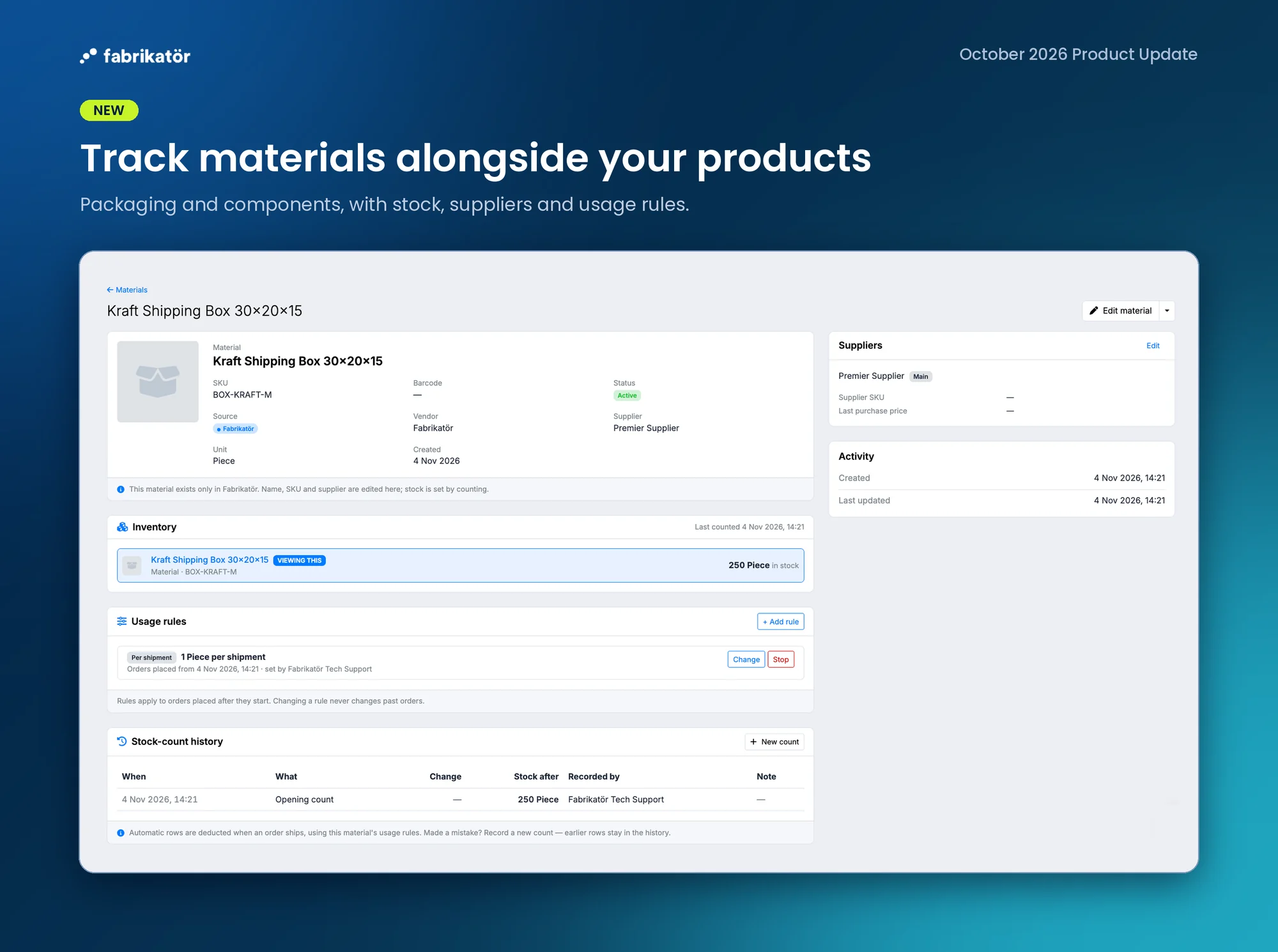
Track materials alongside your products
What it is: Keep track of materials such as packaging, add them to purchase orders, and receive them into your material stock. You can also set rules for how much material is used when Shopify orders ship.
Why it’s useful: See what materials you have and what is incoming before the next purchasing cycle. Usage rules help keep quantities current as orders ship, without relying only on manual counts.
How to use it: Add materials and their suppliers, include materials on a purchase order, and set usage rules on the material page. Manual counts remain available when you need to reconcile physical stock.
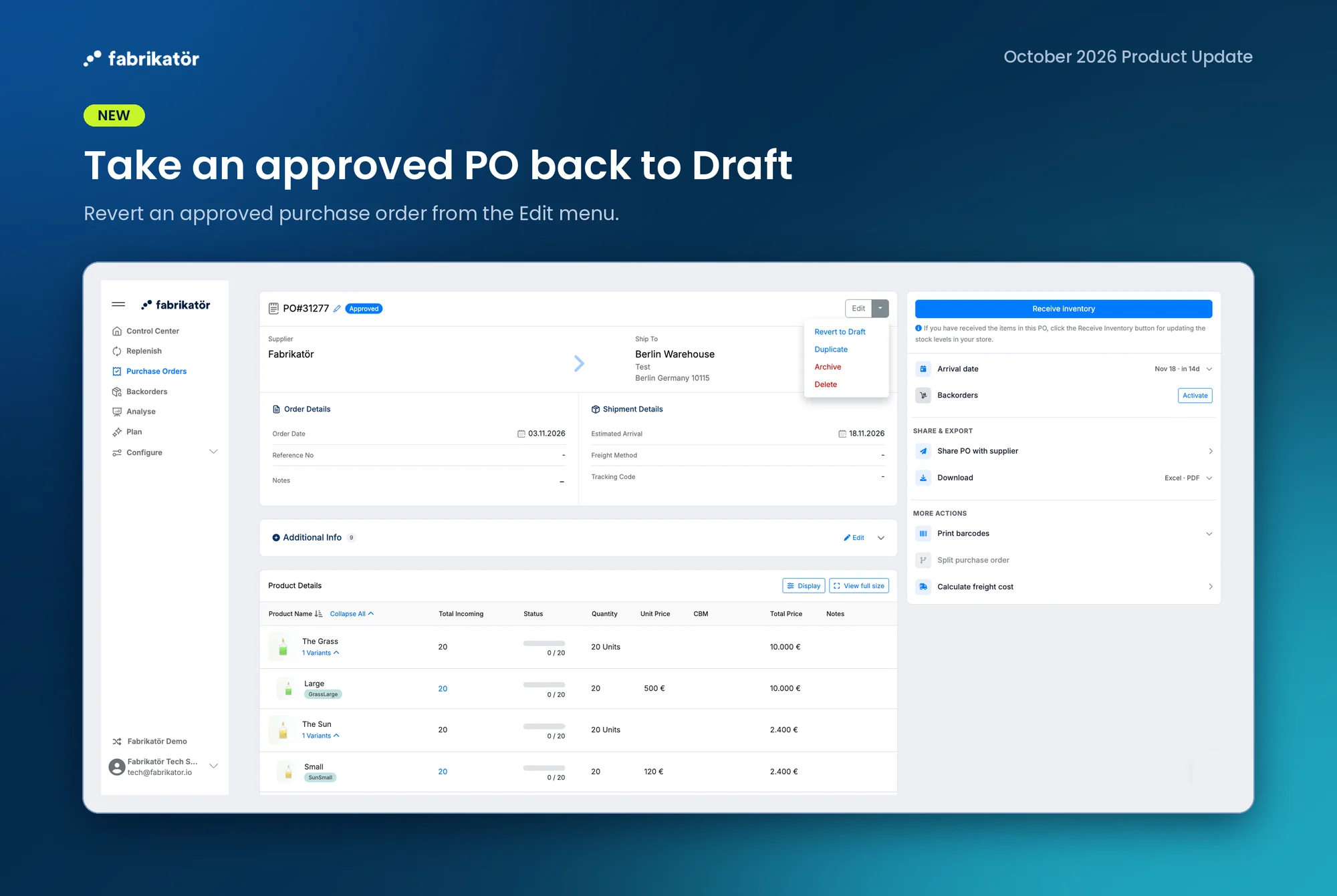
Take an approved purchase order back to Draft
What it is: An approved purchase order can be reverted to Draft if nothing has been received, it has not been split or archived, and your account does not use an affected purchase order integration.
Why it’s useful: Correct an early approval without recreating the PO or losing its history. Returning it to Draft removes it from incoming stock calculations, so Replenish and stockout views reflect the change.
How to use it: On an eligible approved PO, choose Revert to Draft from the Edit menu and confirm. If the PO has an active backorder, read the warning before proceeding: the backorder remains active.
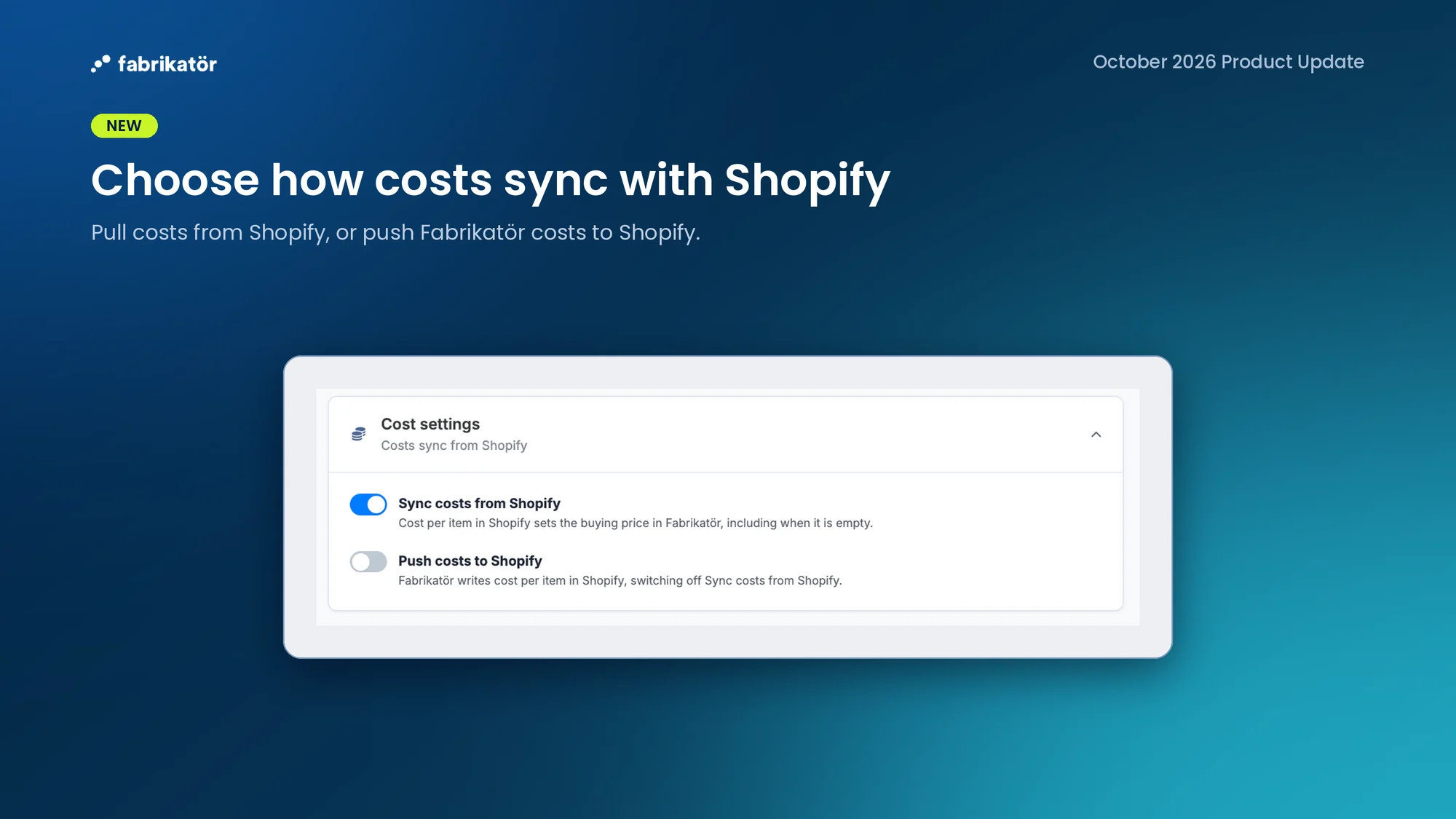
Choose how product costs sync with Shopify
What it is: Cost settings let you stop syncing costs from Shopify or choose to push costs from Fabrikatör to Shopify instead. When pushing costs, you can choose a cost basis and whether the first write covers existing items or future changes.
Why it’s useful: Keep buying prices aligned with the source your team actually manages, rather than having incoming Shopify costs overwrite edits you intended to keep.
How to use it: Review the two options in Settings under Cost settings. Read the confirmation carefully before switching direction or changing the cost basis, since the action can overwrite existing cost values.
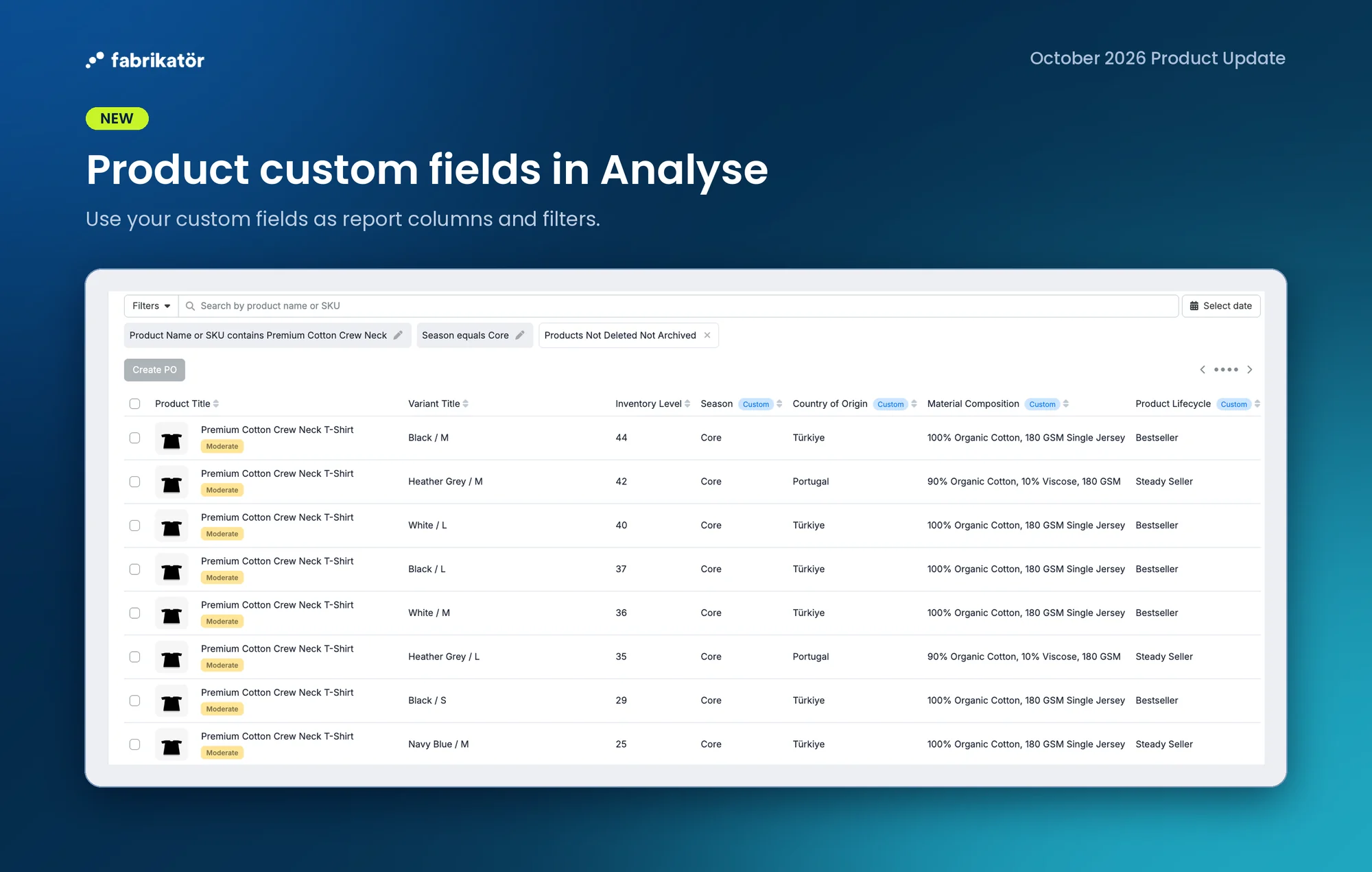
Use product custom fields in Analyse reports
What it is: Add product custom fields as columns and filters in Analyse reports. Product and variant values appear at their own levels alongside stock and sales data.
Why it’s useful: Compare the purchasing attributes your team tracks with inventory and sales performance in the same report, instead of joining separate spreadsheets.
How to use it: Select the custom fields you need as report columns or filters in Analyse.
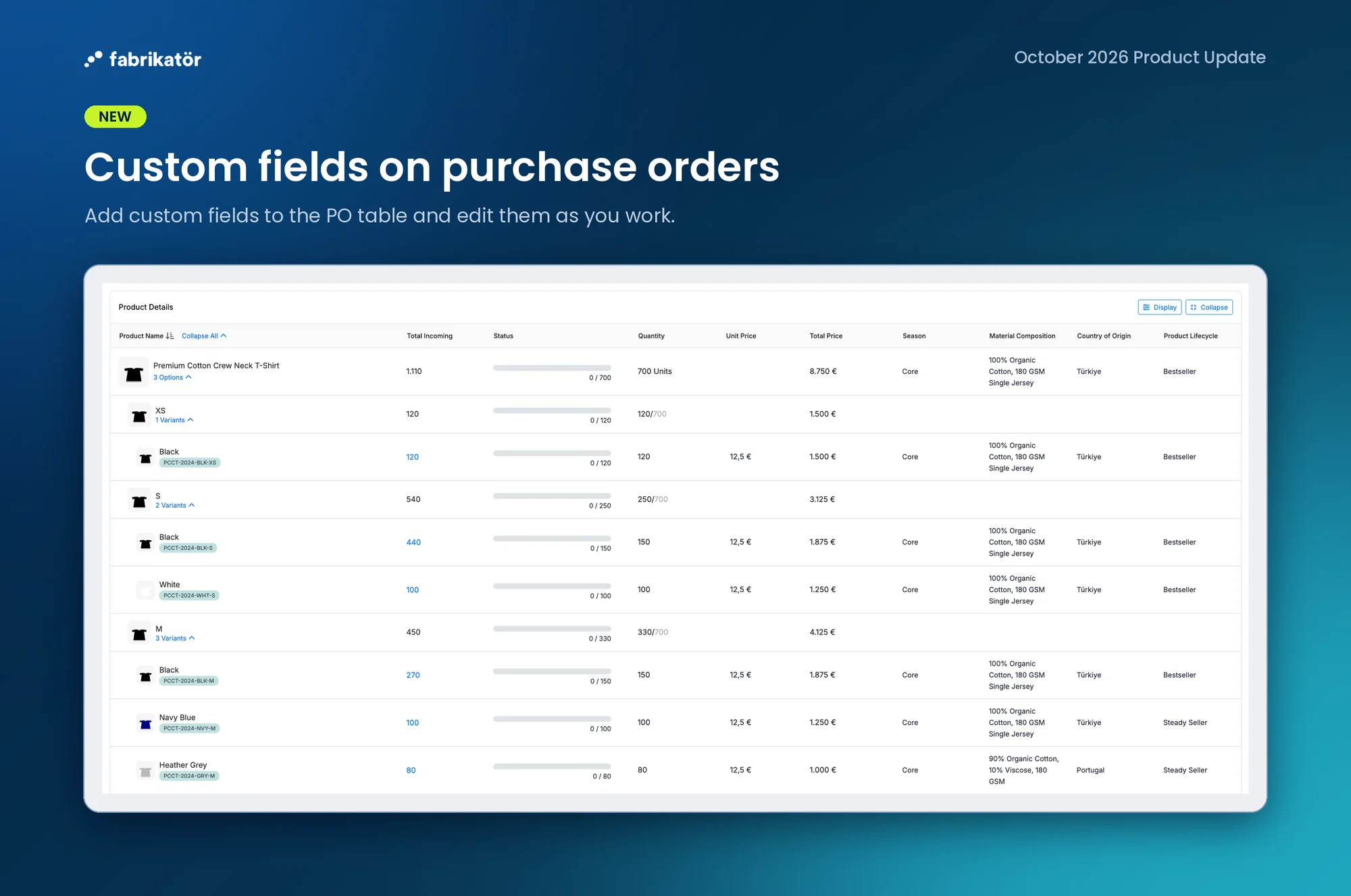
Work with product custom fields on purchase orders
What it is: Show product custom fields on purchase orders and edit their values while working on a PO. The fields are opt-in, so existing table views stay unchanged until you choose them.
Why it’s useful: Keep product-specific purchasing details visible and current where your team places orders.
How to use it: Add the custom fields you need to the PO table, then edit their values as you work on the order.
Edit product configuration and custom fields through Fabrikatör MCP
What it is: Fabrikatör MCP can now update editable product configuration fields, including buying price and supplier SKU. It also supports product custom fields end to end: create and manage field definitions, set values, read them back, and filter products by those values.
Why it’s useful: Use a compatible AI assistant to keep purchasing data up to date and find products by the attributes your team tracks, without switching between separate product views.
How to use it: Connect an assistant through Fabrikatör MCP, then ask it to find products or propose a product update. Review data-changing actions before confirming them.
🧩 Improvements
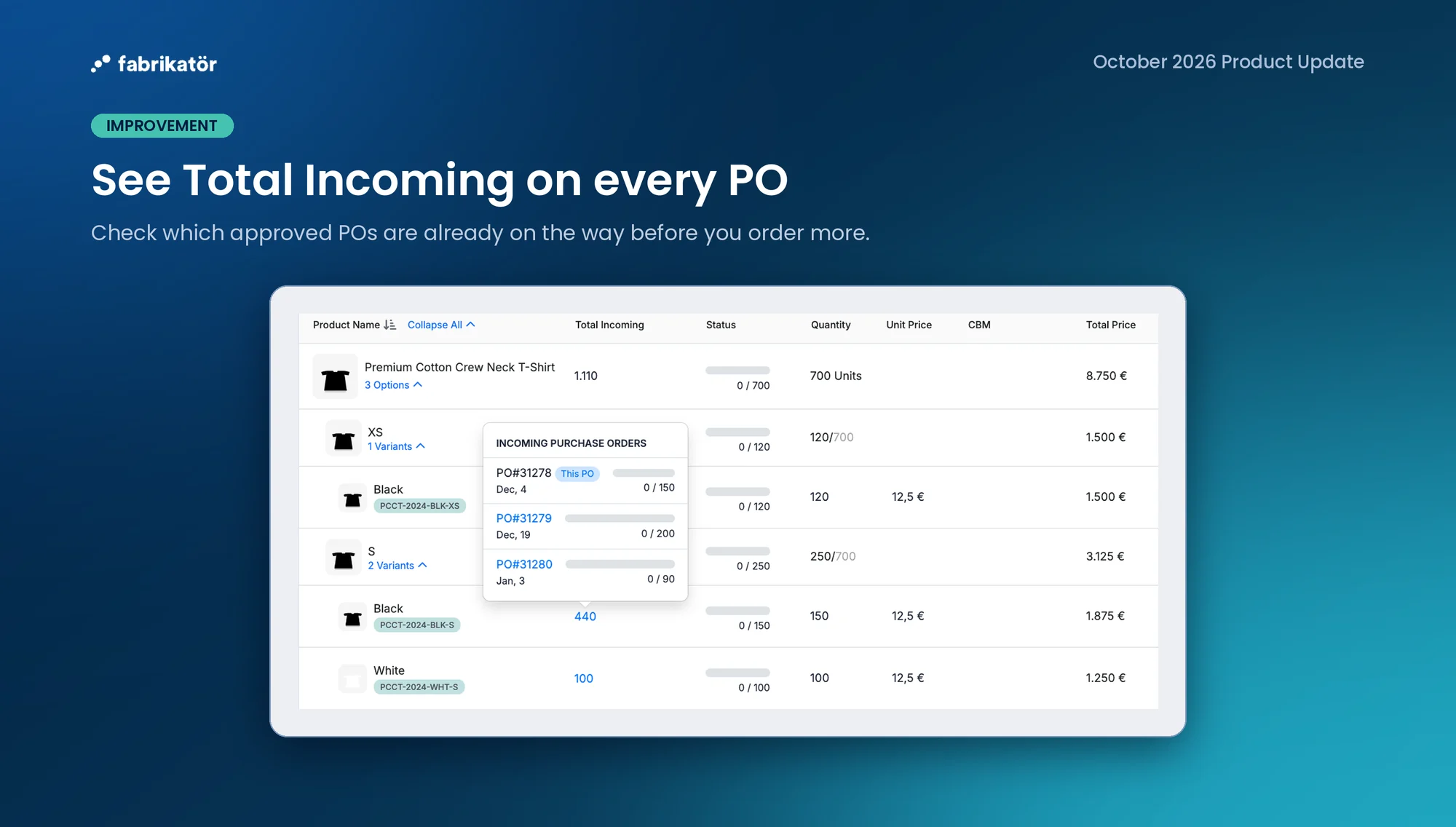
• See Total Incoming in the purchase order's Product Details table by enabling the optional column. Open a nonzero total to see which approved POs contribute to it before you order more.
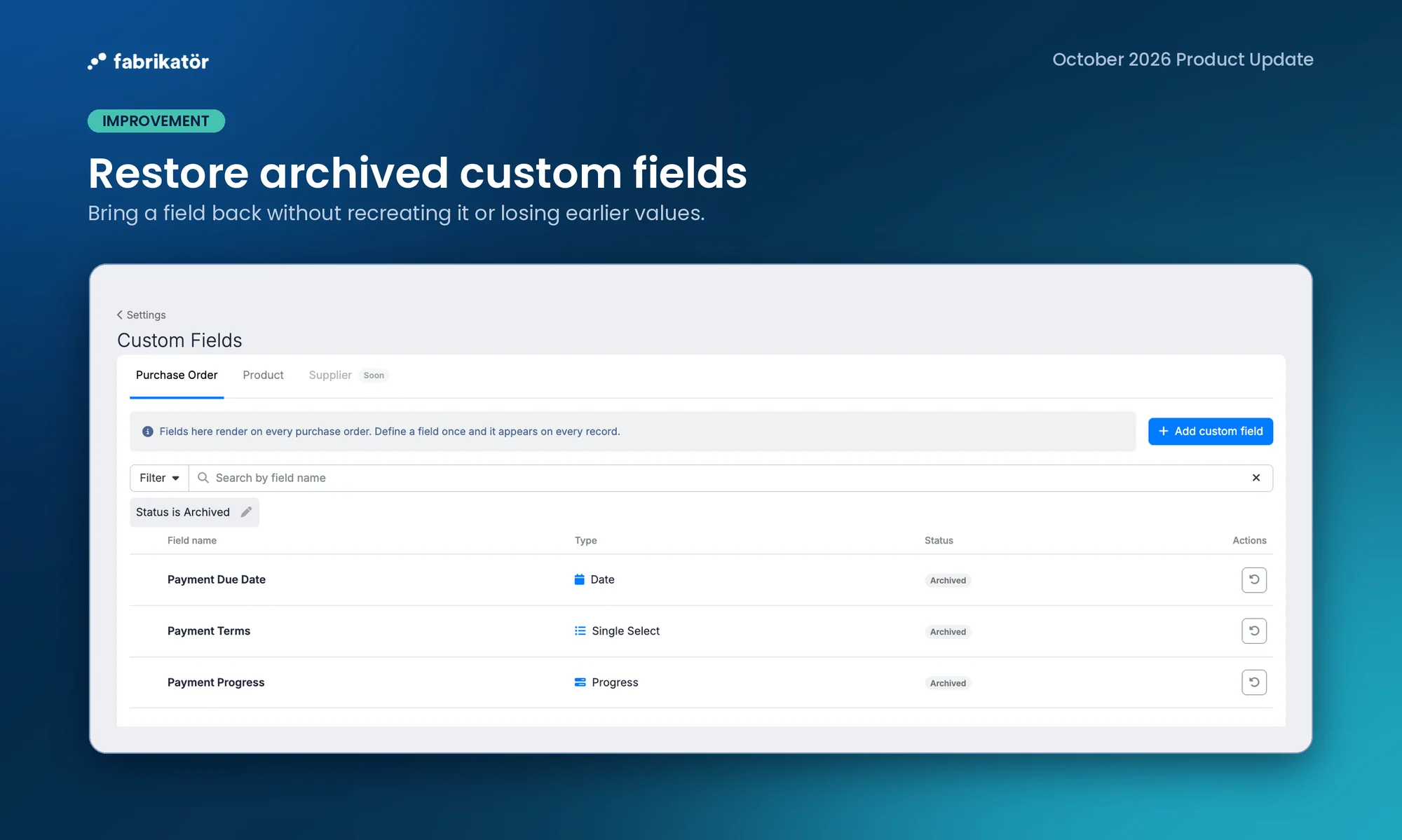
• Find archived purchase order and product custom fields in Settings, then restore them without recreating the field and losing track of its earlier values.
🐞 Bug Fixes & Misc
• Purchase order list search now finds SKUs with numeric segments after a hyphen.
• Editing a purchase order no longer jumps to the top when a line item is removed, and list rows no longer pin over the rows below them.
• Fixed the supplier selection dropdown and back navigation on material pages.